
The best Meetily alternative depends on what you want to replace. Start with Anarlog for a local meeting-notes workspace, Granola for managed note enhancement and collaboration, or Buzz for focused audio-file transcription. If Meetily already satisfies the requirement, switching may add work without solving a problem.
We make Anarlog. This is a use-case comparison based on official documentation checked September 22, 2026, not a ranked accuracy benchmark. Product screenshots are labeled by source.
Choose the job before the product
- Notes alongside a transcript: evaluate Anarlog's local meeting workspace. Built-in on-device speech requires Apple Silicon; Windows beta needs a supported transcription provider.
- Managed note enhancement: evaluate Granola if cloud processing and plan-dependent collaboration fit your requirements.
- Existing audio files: evaluate Buzz for transcription and portable text or subtitles.
- Your current local workflow: stay with Meetily if a provider or setting change resolves the problem.
Platform and portability comparison
| Product | Platforms | Portable output |
|---|---|---|
| Anarlog | macOS 15+; Windows/Linux beta | Markdown |
| Granola | macOS 14+; Windows; iOS; Android | CSV |
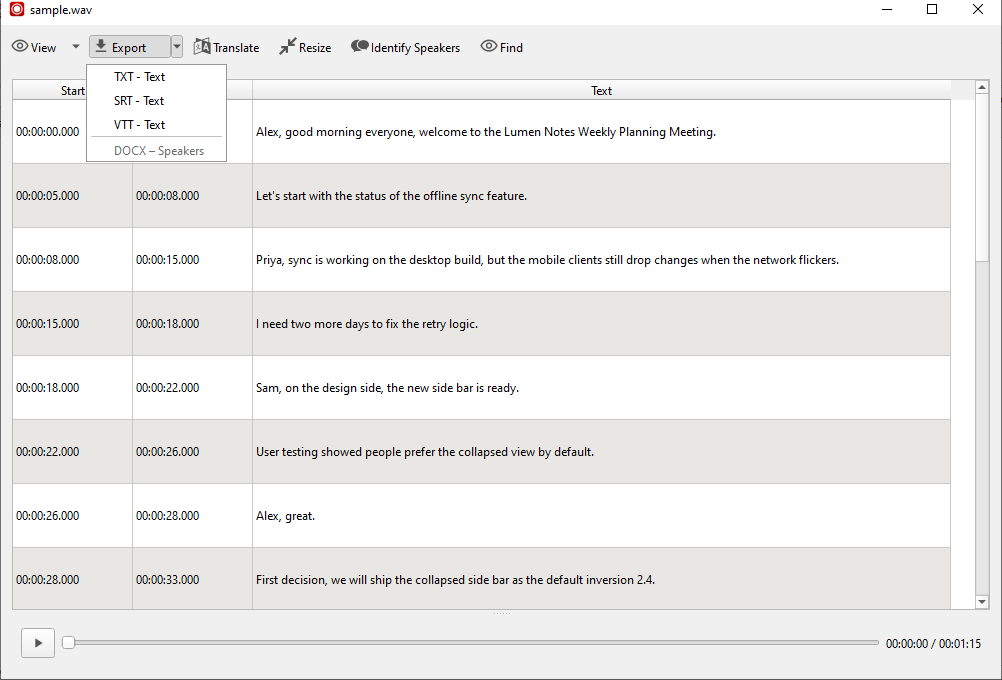
| Buzz | Windows; Apple Silicon Mac; Linux | TXT, SRT, VTT |
| Meetily | Apple Silicon Mac; Windows | Copy; Pro file exports |
Anarlog's built-in on-device transcription requires Apple Silicon; its canonical meeting record remains local SQLite. Meetily also offers a Linux source-build route.
Granola's CSV includes owned notes, summaries, transcripts, and metadata. Enterprise administrators must enable export. Meetily Community provides basic copying; Pro adds the named file formats described below.
Sources: Anarlog installation; Granola setup and export; Buzz repository; Meetily downloads and edition comparison. A supported desktop application does not guarantee that every local model is available on that OS.
Anarlog for a local meeting-notes workspace
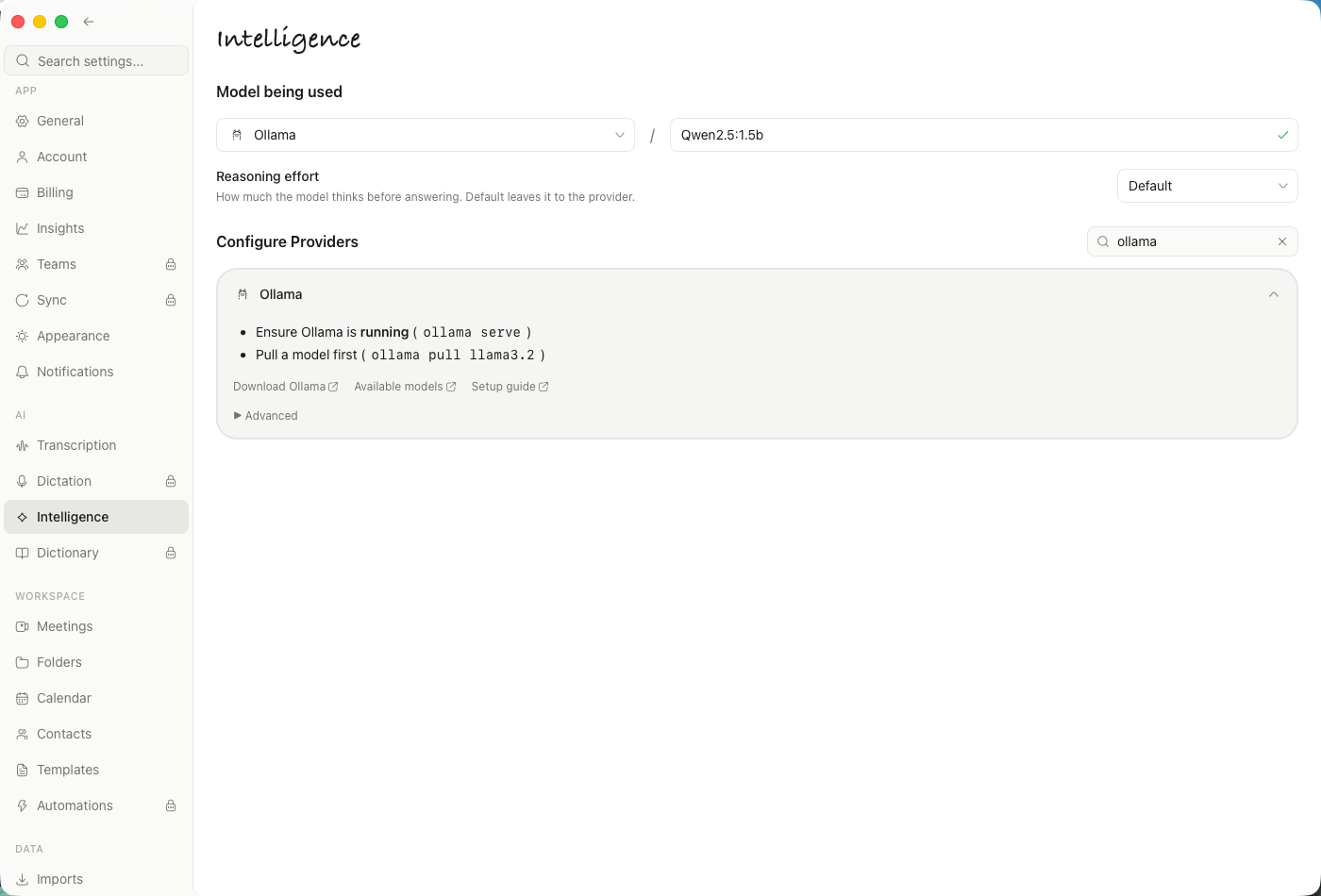
Anarlog stores sessions, notes, and transcripts in local SQLite. You can write notes while recording, choose AI providers, and export Markdown when you want to use the result elsewhere. Markdown is an export, not the underlying database.
The reason to evaluate it is the complete note-taking workflow, not simply the absence of a meeting bot. Check whether the editor, transcript, templates, and export fit how you review calls.
The installation documentation lists the current platform requirements and identifies Windows and Linux as beta. Its offline guide explains why you need local models for both transcription and summaries. A local database combined with a cloud API key is a mixed local/cloud setup.
Try one meeting before moving history. Export the result and open it in the tool you already use for notes. That will reveal more about portability than a feature checklist.
Granola for managed note enhancement
Granola is worth evaluating when maintaining models is the work you want to stop doing. Its note enhancement workflow builds on your raw notes, the transcript, and meeting context. Source inspection helps you review why a generated point appeared.
Its security overview describes a managed processing path and account-hosted transcripts and notes. This is a material architecture difference for someone leaving a local Meetily setup. Review it before uploading a real meeting.
Choose it when the managed workflow and shared context are worth that trade. Check current plan entitlements, especially for the integrations and administrative controls your team expects.
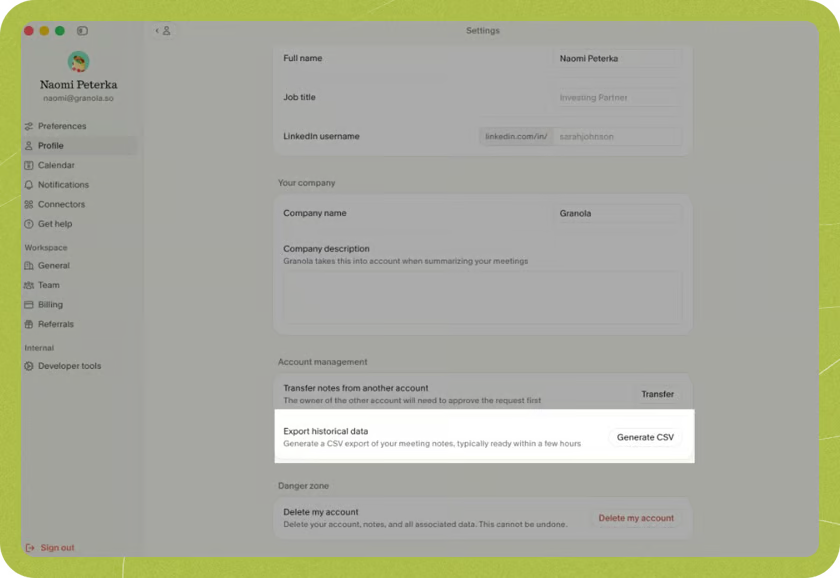
Source: Granola.
Buzz for recordings you already have
Buzz is a free, open-source transcription application with local Whisper-based options and text/subtitle exports. It is a narrower choice: get a recording into a usable transcript, then take that transcript into the rest of your workflow.
That is useful for an occasional interview, lecture, or exported recorder file. It does not automatically replace a meeting workspace, shared notes, or a team's review process.
Before your first offline job, download the required local model and test a small file. If you select an API-backed model instead, re-evaluate the data path and any usage charges. "Free app" and "free external inference" are different claims. Use the project documentation for current installation and engine support.
Reasons to stay with Meetily
Do not switch because an old review says a feature does not exist. Meetily documents audio import, configurable AI providers, and Pro developer access.
If your only issue is where summaries run, changing the selected provider may be enough. Pro's export guide lists Markdown, DOCX, and PDF for summaries, and TXT/DOCX for transcripts. Community pricing explicitly promises basic copying, so do not assign all those file formats to the free edition.
A migration checklist that catches real gaps
Use the same authorized sample in your current app and the candidate. Keep the original recording until you have checked the outputs.
| Verify | What counts as success |
|---|---|
| Input | Your actual recording format or capture method works |
| Transcript | Key names and technical terms can be corrected |
| Summary | Decisions, rejected ideas, and unassigned tasks remain distinct |
| Export | The destination opens it with the required context intact |
| Offline behavior | The complete workflow succeeds after preparation and disconnection |
| Access | Only the intended people or local accounts can retrieve it |
Run the offline row only if offline processing is a requirement. If collaboration is the priority, replace that check with the exact share-and-review sequence your team needs.
For more hosted-workspace options, see Granola alternatives. For the architecture choices behind local transcription and summaries, see local AI meeting notes.